Is the gentle hum of your ceiling fan now accompanied by an unsettling wobble, making you wonder if it’s about to take flight? A wobbling ceiling fan isn’t just an annoying distraction; it can signal underlying issues that affect its efficiency, longevity, and even safety. Fortunately, you don’t always need a professional to restore tranquility to your room. With a few simple tools and a bit of patience, you can tackle this common household problem yourself, ensuring your fan spins smoothly and quietly once again.
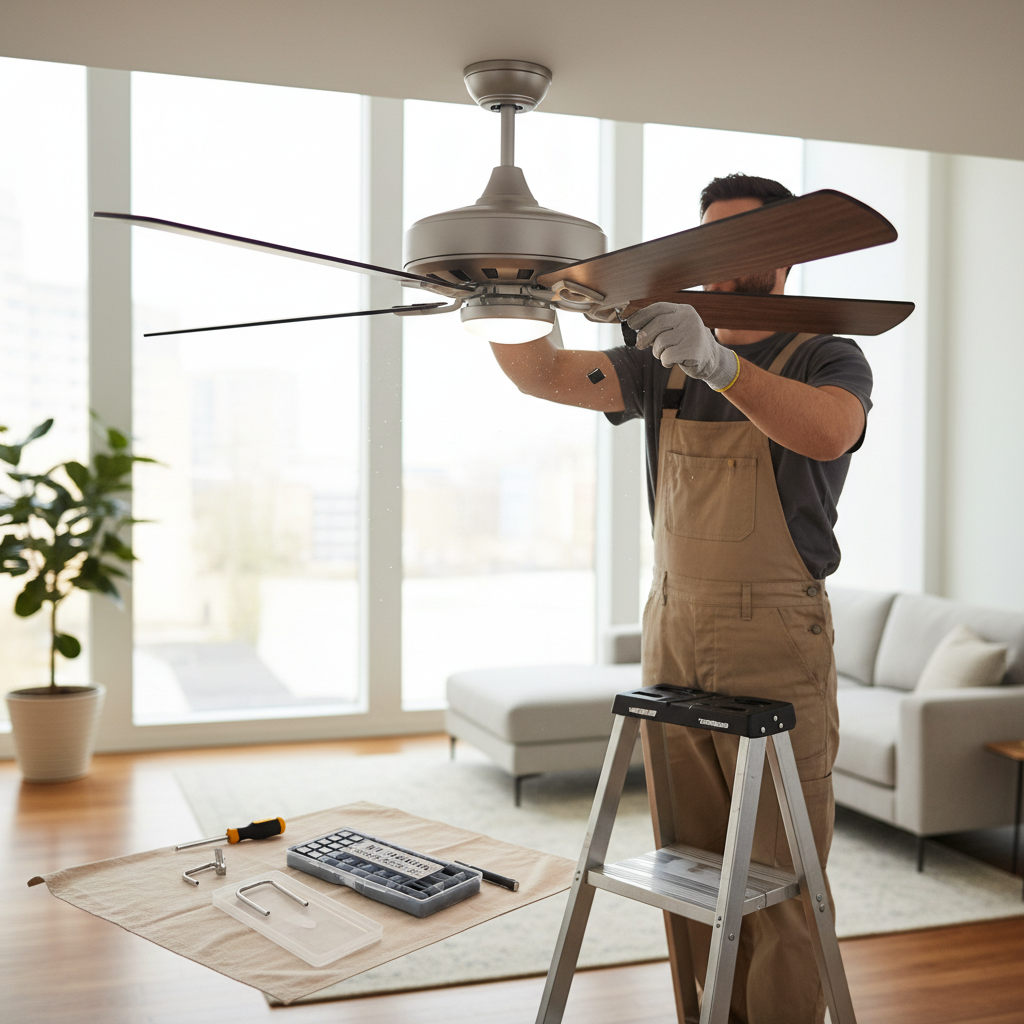
What Causes a Ceiling Fan to Wobble?
Before diving into the fix, understanding why your ceiling fan wobbles is crucial. Several factors can contribute to this unsettling motion, ranging from minor adjustments to more significant issues.
One of the most frequent culprits is loose screws. Over time, the constant vibration from a spinning fan can cause screws to loosen on the blade holders, mounting bracket, downrod, or even the light kit. Even subtle shifts in these connections can throw the fan off balance.
Another common reason is uneven dust and debris buildup on the fan blades. Dust adheres more readily to some surfaces than others, creating an uneven distribution of weight across the blades. This seemingly small detail can significantly impact the fan’s balance.
Furthermore, warped or bent blades are a common problem. Changes in humidity, temperature fluctuations, or accidental bumps can cause fan blades, especially those made of wood, to warp. A blade that isn’t perfectly flat or aligned with the others will inevitably lead to an imbalance. Improper installation, such as mounting the fan on an electrical box not rated for the weight and motion of a ceiling fan, or an uneven initial setup, can also be a root cause. Sometimes, even the downrod set screws can become loose.
Essential Tools for DIY Ceiling Fan Balancing
You don’t need a professional’s toolkit to balance your ceiling fan. Most of the items you’ll require are likely already in your home.
Here’s what you’ll typically need:
- A Sturdy Ladder or Step Stool: Safety is paramount when working overhead.
- Screwdrivers: Both Phillips and flathead screwdrivers will be helpful for tightening various screws.
- Tape Measure: Useful for checking blade alignment.
- Duster or Microfiber Cloth: For cleaning the blades and motor housing.
- Ceiling Fan Balancing Kit: This is the star of the show for many wobble fixes. It usually includes a plastic clip for temporary testing and several self-adhesive weights. These kits are inexpensive and widely available at hardware stores.
- Alternative Weights (if no kit): A penny, dime, or another small, flat, lightweight object can serve as a temporary testing weight if you don’t have a kit.
Step-by-Step Guide to Balance Your Ceiling Fan
Balancing a ceiling fan is a process of elimination and fine-tuning. Follow these steps carefully to achieve smooth operation.
Safety First: Power Off
|
Our Picks for the Best Ceiling fan in 2026
As an Amazon Associate I earn from qualifying purchases.
|
||
| Num | Product | Action |
|---|---|---|
| 1 | Fanbulous 52 Inch Ceiling Fans with Lights and Remote, Stepless Color Temperature Change & Dimmable 20W LED Ceiling Fan, 6 Speeds Reversible Quiet DC Motor for Bedroom, Living Room, Apartment, Black |

|
| 2 | Asyko 46" Low Profile Ceiling Fan with Light and Remote Control,Black Modern Flush Mount Ceiling Fan with Lights for Bedroom, Reversible, Dimmable, Noiseless |
|
| 3 | ZMISHIBO 52 Inch Ceiling Fan with Light, App&Remote Control, Flush Mount Low Profile, Dimmable 20W LED Light, Quiet Reversible Motor for Bedroom, Living Room, Apartment, Black |
|
| 4 | Ceiling Fans with Lights, 52 Inch Modern Ceiling Fans with Lights and Remote Control, DC Reversible Motor, Noiseless, 3CCT, Ceiling Fan for Bedroom, Living Room, Apartment Indoor/Outdoor Use |
|
| 5 | addlon Ceiling Fans with Lights, 42 Inch Low Profile Ceiling Fan with Light and Remote Control, Flush Mount, Reversible, 3CCT, Dimmable, Quiet, Black Small Ceiling Fan for Bedroom Indoor/Outdoor Use |
|
| 6 | Ceiling Fans with Lights, 42 Inch Ceiling Fan with Light And Remote, 3CCT Flush Moun Low Profile Ceiling Fans, 6 Speed Noiseless LED Ceiling Fan, Black Ceilings Fan with Remote for Bedroom Living Room |
|
| 7 | ZMISHIBO Ceiling Fans with Lights and Remote, 19.7'' Low Profile Ceiling Fan, 3000-6000K Dimmable Modern Flush Mount LED Fan Light, 6 Wind Speeds, Black Fandelier Ceiling Fans for Bedroom |
|
| 8 | Passky Ceiling Fans with Lights, 52 inch Sleek Ceiling Fan with Light and Remote Control, 3CCT, Dimmable, Reversible, Noiseless, Black Ceiling Fan for Bedroom, Living Room |
|
| 9 | Ceiling Fans with Lights - 42 Inch Low Profile Ceiling Fan with Light and Remote, Reversible DC Motors, 3CCT Dimmable Timer Noiseless, Black Flush Mount Ceiling Fan for Bedroom/Living Room |
|
| 10 | Amico Ceiling Fans with Lights, 42 inch Low Profile Ceiling fan with Light and Remote Control, Flush Mount, Reversible, 3CCT, Dimmable, Noiseless, Black Ceiling Fan for Bedroom, Indoor/Outdoor Use |
|
Before you touch your fan, always prioritize safety.
Turn off the power to your ceiling fan at both the wall switch and the circuit breaker. This prevents accidental activation while you’re working, minimizing the risk of injury. Ensure the fan has come to a complete stop before proceeding.
Initial Checks: Cleaning and Tightening
Start with the easiest fixes, as these often resolve the wobble without further intervention.
First, clean the fan thoroughly. Dust and dirt buildup on the blades and motor housing can create uneven weight. Using a duster or a lightly dampened microfiber cloth, carefully wipe down both sides of each blade and the main body of the fan. Sometimes, this simple step is all it takes to restore balance.
Next, tighten all visible screws. Climb your ladder and methodically check all screws:
- Blade attachment screws: Ensure the screws holding the blades to their blade holders are tight.
- Blade holder screws: Check the screws that secure the blade holders to the fan motor.
- Mounting bracket screws: If accessible (you may need to slide up the canopy cover), ensure the screws holding the mounting bracket to the ceiling are secure.
- Downrod screws: Confirm any set screws on the downrod are tightened, especially where it connects to the motor housing.
- Light kit screws: If your fan has a light kit, ensure its components are snugly attached.
After cleaning and tightening, turn the power back on and test the fan at various speeds. If the wobble persists, move on to the next step.
Inspecting Blade Alignment and Condition
Even after tightening, a wobble might indicate a blade issue.
Check blade alignment using a tape measure. Stand on your ladder and measure the distance from the ceiling to the tip of each fan blade. Ideally, all blades should be the exact same distance from the ceiling. If you find discrepancies, it might be possible to gently bend a blade iron (the metal arm holding the blade) slightly to match the others. However, be very careful not to over-bend or damage the blade.
Also, examine the blades for warping or bending. Look down the edge of each blade from the center towards the tip. If a blade appears curved, bowed, or twisted, it’s likely warped. Unfortunately, warped blades often cannot be balanced effectively and may need to be replaced. If replacement isn’t feasible, you might consider replacing the entire fan, as continued use with severely warped blades can strain the motor.
The Balancing Act: Using a Kit (or Household Items)
If cleaning, tightening, and alignment checks haven’t solved the problem, it’s time for precise balancing using a fan balancing kit.
- Identify the Problem Blade: Ensure the fan is off and completely stopped. Attach the plastic clip from your balancing kit to the trailing edge of one fan blade, roughly halfway between the motor and the blade tip. Turn the fan on (start at a low speed) and observe the wobble. Turn it off. Move the clip to the next blade and repeat the process. Continue this for all blades until you find the blade where the wobble reduces or disappears with the clip attached. This is your problem blade.
- Fine-Tune Clip Placement: Once you’ve identified the problem blade, the exact position of the weight matters. With the clip still on the problem blade, slide it along the blade’s edge—towards the motor, then towards the tip—testing the fan at each new position. Your goal is to find the spot where the wobble is minimal.
- Apply Adhesive Weights: Once you’ve found the optimal clip position, turn the fan off. Remove the plastic clip and, in its place, carefully attach one of the self-adhesive weights from the kit to the top surface of the blade, directly in line with where the clip was. Many kits include small, rectangular weights designed for this purpose. If you’re using a penny or dime, secure it with strong, durable tape, ensuring it won’t fly off when the fan spins.
- Final Testing: Turn the fan back on and test it at all speeds. If the wobble has been corrected, congratulations! If there’s still a slight wobble, you may need to repeat the process, either by adding another small weight to the same blade, adjusting the weight’s position slightly, or if the wobble worsened, trying the weight on the opposite side of the blade.
“Many minor fan wobbles stem from overlooked loose screws or uneven dust. A thorough check and clean often preempts the need for a balancing kit.” – John Smith, Senior HVAC Technician
Final Testing and Adjustments
Once you believe you’ve balanced the fan, run it at its highest speed for a few minutes. Observe it closely. A slight, barely perceptible movement is sometimes normal, but any significant shaking or noise indicates further adjustment is needed. If the wobble changes or worsens, you might need to try a different weight placement or even remove the weight and start over with a fresh clip test. Patience is key to achieving optimal balance.
When to Call a Professional
While most ceiling fan wobbles can be resolved with DIY methods, there are instances where professional help is warranted. If you’ve diligently followed all the steps—cleaning, tightening, checking alignment, and using a balancing kit—and the wobble persists, it might be time to call an electrician or a qualified handyman.
This is especially true if:
- You suspect improper installation, such as the fan not being securely mounted to a fan-rated electrical box in the ceiling.
- There are visible cracks or damage to the mounting bracket or fan housing.
- The wobble is severe, making you concerned about the fan’s stability or safety.
- The fan makes unusual noises in conjunction with the wobble, which could indicate motor issues.
- You have severely warped blades that cannot be corrected or replaced.
A professional can diagnose deeper structural or electrical problems and ensure your fan operates safely and efficiently.
In conclusion, a wobbling ceiling fan is a common household nuisance, but one that can usually be addressed with a methodical DIY approach. By systematically checking for loose components, cleaning the blades, inspecting their condition, and applying a balancing kit, you can often restore your fan to smooth, quiet operation. This not only enhances your comfort but also extends the life of your appliance and ensures safety within your home.
Ready to enjoy the serene breeze of a perfectly balanced fan once more?
Frequently Asked Questions
Is a slight ceiling fan wobble normal?
A very slight wobble, especially at high speeds, can be normal for some ceiling fans, often up to 1/8-inch. However, anything more noticeable or accompanied by noise typically indicates an imbalance that should be addressed to prevent wear and tear or safety hazards.
Can humidity cause a ceiling fan to wobble?
Yes, humidity can contribute to a ceiling fan wobble. Wooden fan blades are particularly susceptible to changes in humidity, which can cause them to absorb moisture, expand, and warp over time. This warping can lead to an uneven distribution of weight and throw the fan off balance.