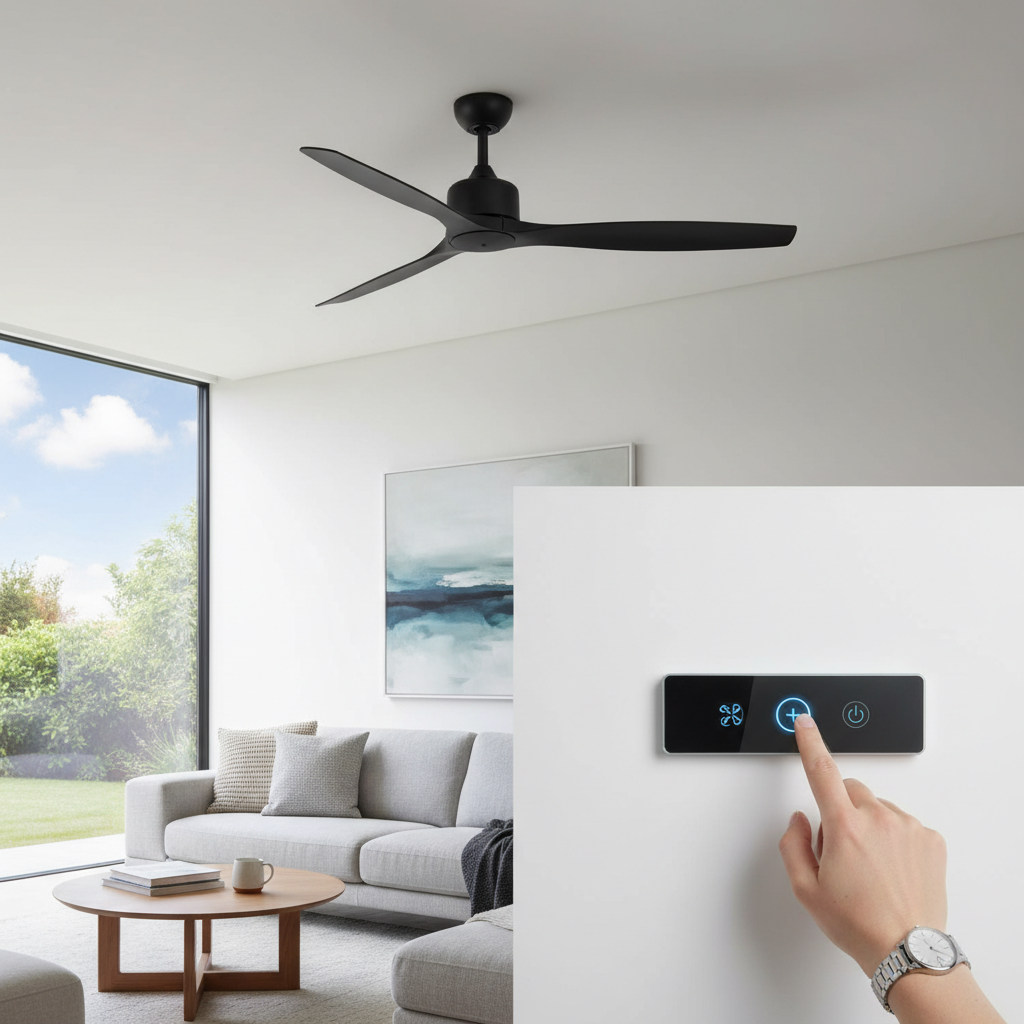
Dreaming of a refreshing breeze and stylish upgrade for your room, but the thought of professional installation costs makes you sweat more than the summer heat? Installing a ceiling fan yourself is a rewarding DIY project that can save you money and empower you with new home improvement skills. This comprehensive guide will walk you through every step, from preparation to the final test, ensuring a safe and successful installation. You’ll learn the essential tools, critical safety precautions, and practical tips to tackle this task confidently. Let’s transform your living space with a new ceiling fan, no professional required!
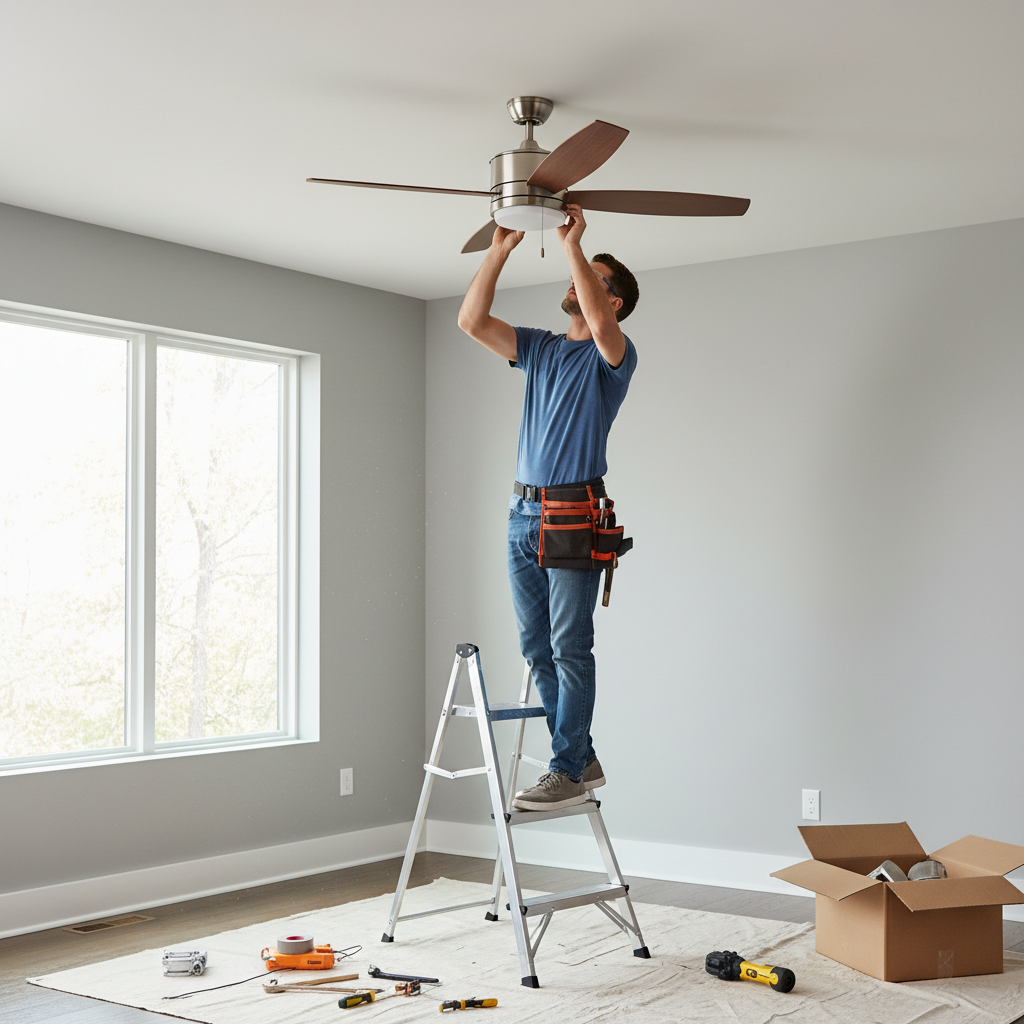
Is DIY Ceiling Fan Installation Right for You?
Before diving into the project, it’s crucial to assess your comfort level with basic electrical work and hand tools. Installing a ceiling fan is a manageable DIY task for many homeowners, but it does involve working with electricity and overhead components. If you’re comfortable following instructions, understand basic wiring principles, and prioritize safety, you’re likely a good candidate for this project.
However, there are specific situations where calling a professional electrician is highly recommended for your safety and to avoid potential damage. If your room lacks existing ceiling wiring for a light fixture or fan, if the existing electrical box is not securely mounted or fan-rated, or if you encounter complex wiring configurations you don’t understand, it’s best to seek expert help. Professional electricians can ensure your wiring meets local codes and handle structural challenges like installing new supports. Your safety should always be the top priority.
Essential Tools and Materials for Your DIY Project
Having the right tools makes any DIY project smoother and safer. For ceiling fan installation, you’ll need a mix of standard household tools and a few specialized items.
Must-Have Tools
These tools are absolutely critical for a safe and successful installation:
- Screwdrivers: Both Phillips-head and flathead screwdrivers will be needed for various screws on the mounting bracket, motor housing, and blades.
- Wire Strippers: Essential for stripping insulation from electrical wires to make secure connections.
- Voltage Tester: This is non-negotiable for safety. Use it to confirm that the power to your work area is completely off before touching any wires.
- Ladder: A sturdy step ladder is necessary to safely reach the ceiling and perform overhead work.
- Adjustable Wrench: Useful for tightening nuts and bolts, especially for securing the mounting bracket.
|
Our Picks for the Best Ceiling fan in 2026
As an Amazon Associate I earn from qualifying purchases.
|
||
| Num | Product | Action |
|---|---|---|
| 1 | ZMISHIBO Ceiling Fans with Lights and Remote, 19.7'' Low Profile Ceiling Fan, 3000-6000K Dimmable Modern Flush Mount LED Fan Light, 6 Wind Speeds, Black Fandelier Ceiling Fans for Bedroom |

|
| 2 | addlon Ceiling Fans with Lights, 42 Inch Low Profile Ceiling Fan with Light and Remote Control, Flush Mount, Reversible, 3CCT, Dimmable, Quiet, Black Small Ceiling Fan for Bedroom Indoor/Outdoor Use |
|
| 3 | Ceiling Fans with Lights, 52 Inch Modern Ceiling Fans with Lights and Remote Control, DC Reversible Motor, Noiseless, 3CCT, Ceiling Fan for Bedroom, Living Room, Apartment Indoor/Outdoor Use |
|
| 4 | Fanbulous 52 Inch Ceiling Fans with Lights and Remote, Stepless Color Temperature Change & Dimmable 20W LED Ceiling Fan, 6 Speeds Reversible Quiet DC Motor for Bedroom, Living Room, Apartment, Black |
|
| 5 | Ceiling Fans with Lights - 42 Inch Low Profile Ceiling Fan with Light and Remote, Reversible DC Motors, 3CCT Dimmable Timer Noiseless, Black Flush Mount Ceiling Fan for Bedroom/Living Room |
|
| 6 | Amico Ceiling Fans with Lights, 42 inch Low Profile Ceiling fan with Light and Remote Control, Flush Mount, Reversible, 3CCT, Dimmable, Noiseless, Black Ceiling Fan for Bedroom, Indoor/Outdoor Use |
|
| 7 | Asyko 46" Low Profile Ceiling Fan with Light and Remote Control,Black Modern Flush Mount Ceiling Fan with Lights for Bedroom, Reversible, Dimmable, Noiseless |
|
| 8 | ZMISHIBO 52 Inch Ceiling Fan with Light, App&Remote Control, Flush Mount Low Profile, Dimmable 20W LED Light, Quiet Reversible Motor for Bedroom, Living Room, Apartment, Black |
|
| 9 | Passky Ceiling Fans with Lights, 52 inch Sleek Ceiling Fan with Light and Remote Control, 3CCT, Dimmable, Reversible, Noiseless, Black Ceiling Fan for Bedroom, Living Room |
|
| 10 | Ceiling Fans with Lights, 42 Inch Ceiling Fan with Light And Remote, 3CCT Flush Moun Low Profile Ceiling Fans, 6 Speed Noiseless LED Ceiling Fan, Black Ceilings Fan with Remote for Bedroom Living Room |
|
Optional but Recommended Tools
These tools can enhance safety, convenience, or efficiency:
- Electrical Tape: For extra insulation on wire connections, though wire nuts usually suffice.
- Cable Ties: To neatly organize wires inside the canopy.
- Stud Finder: If you need to install a new fan-rated electrical box and locate a ceiling joist for support.
- Drywall Saw: Required if you need to cut into the ceiling to install a new electrical box.
- Multimeter: For more advanced electrical testing, though a simple voltage tester is sufficient for most DIY installations.
Materials
Most new ceiling fans come with the necessary hardware, including:
- Wire Nuts: For connecting electrical wires.
- Mounting Bracket: To secure the fan to the ceiling.
- Screws and Washers: For assembling the fan components.
If you are replacing an old fixture with a heavier fan, you might need a new fan-rated electrical box. Ensure any new box is specifically labeled for ceiling fan use, as it must support the fan’s weight and movement.
Preparing Your Space for Installation
Proper preparation is the cornerstone of a safe and efficient ceiling fan installation. Taking these steps seriously will prevent accidents and ensure a smooth process.
Shutting Off Power
This is the most critical step. Locate your home’s main electrical panel (breaker box). Identify the circuit breaker that controls the power to the room where you’ll be working. Typically, light fixtures and outlets in a room are on the same circuit. Flip the breaker to the “OFF” position. Don’t just rely on flipping a wall switch; the breaker provides complete disconnection. Use your voltage tester on the existing wires or fixture to confirm that there is absolutely no power before proceeding.
Removing an Old Fixture
If you are replacing an existing light fixture or old ceiling fan, carefully remove it after confirming the power is off. Unscrew any canopy or mounting screws. Disconnect the electrical wires by untwisting the wire nuts. Keep track of which wires (hot, neutral, ground) were connected to which. Gently lower and remove the old fixture, setting it aside.
Inspecting the Electrical Box
Examine the electrical box currently in your ceiling. It must be fan-rated, meaning it is specifically designed to support the weight and movement of a ceiling fan, which can be considerable. Look for markings on the box indicating it’s fan-rated (e.g., “acceptable for fan support”). If it’s a standard light fixture box or doesn’t feel secure, it must be replaced with a fan-rated box, securely anchored to a ceiling joist or cross-bracing. Never mount a ceiling fan directly to drywall or an inadequately supported box, as this poses a serious safety hazard.
Step-by-Step Guide to Ceiling Fan Installation
With your tools ready and your space prepared, it’s time for the actual installation. Follow these steps carefully, referring to your fan’s specific instruction manual for detailed diagrams and any unique features.
Mounting the Bracket
Most ceiling fans come with a metal mounting bracket. This bracket needs to be securely attached to the fan-rated electrical box in your ceiling. Use the screws provided with the fan or those approved for your electrical box. Ensure the bracket is tightly fastened and stable; it will bear the entire weight of your fan. If your electrical box includes a hook or ball-and-socket design, the bracket will typically accommodate this for easier fan hanging during wiring.
Assembling the Fan (Motor Housing and Blades)
Before lifting the fan to the ceiling, it’s often easier to perform some initial assembly. Follow your manufacturer’s instructions for attaching the downrod (if applicable) to the motor housing and routing the electrical wires through it. Some fans allow for the blade arms to be attached to the motor while it’s still on the ground, but typically the blades themselves are installed last. Always handle the fan components carefully to avoid damage.
Wiring the Fan
This is often the most intimidating part for DIYers, but it’s straightforward with attention to detail. Most household wiring uses a standard color code:
- Black (or red): Hot wire, carrying power.
- White: Neutral wire.
- Green (or bare copper): Ground wire.
Your new ceiling fan will have corresponding wires. Connect them using wire nuts:
- Fan’s green/bare copper ground wire to the house’s green/bare copper ground wire.
- Fan’s white (neutral) wire to the house’s white (neutral) wire.
- Fan’s black (hot) wire to the house’s black (hot) wire. If your fan has a separate wire for the light kit (often blue), connect it to the house’s black wire as well, or to a separate switched hot wire if you want independent control.
Ensure all connections are secure by twisting the wire nuts tightly and giving each wire a gentle tug to check for looseness. Neatly tuck the wired connections and excess wire into the electrical box, leaving room for the canopy.
Attaching the Fan to the Mount
Carefully lift the fan assembly and hang it on the mounting bracket. Many brackets feature a hook or a ball-and-socket joint that allows the fan to hang while you make the final wiring connections and secure it. Once the wiring is complete and tucked away, align the fan’s canopy with the mounting bracket and secure it with the screws provided. Make sure the canopy fits snugly against the ceiling.
Installing Blades and Light Kit
With the motor housing securely mounted, you can now attach the fan blades and the light kit (if your fan has one). Follow the manufacturer’s specific instructions for attaching the blades to their arms and then the arms to the motor. Ensure all screws are tightened to prevent wobbling. For the light kit, connect its wires to the corresponding wires from the fan (usually a black and white pair) and then secure the light kit to the fan motor housing, often with small screws or a twist-lock mechanism. Finally, install any light bulbs and glass shades.
Testing Your New Ceiling Fan and Troubleshooting Common Issues
After all the components are installed, it’s time for the moment of truth: restoring power and testing your new fan.
Initial Power Up
Go back to your electrical panel and flip the circuit breaker back to the “ON” position. Return to the room and test the fan and light (if applicable) using the wall switch or remote control. Check all fan speeds and light settings to ensure everything operates correctly. Listen for any unusual noises or excessive wobbling.
Balancing the Blades
It’s common for a new ceiling fan to wobble slightly, especially on higher speeds. Most fans include a balancing kit, which usually contains small weights and clips. To balance:
- Turn the fan on a medium speed.
- Attach a temporary clip to the trailing edge of one blade at a time, moving it along the blade until the wobble reduces.
- Once you find the optimal position, use the adhesive weight from the kit at that spot. Repeat if necessary for other blades.
Common Wiring Problems
- Fan Not Working/Light Not Working: Double-check that the circuit breaker is on. If still no power, turn off the breaker, safely open the canopy, and inspect all wire connections. Ensure they are tight and correctly matched (black to black, white to white, ground to ground). A loose connection is a frequent culprit.
- Humming Noise: A slight hum is normal for some fans, but a loud hum might indicate a loose wire or a problem with the fan’s motor. Ensure all mounting screws are tight.
- Fan Runs Backwards: Most fans have a reverse switch on the motor housing, allowing you to change direction for winter (updraft) or summer (downdraft). Ensure it’s in the desired position.
When to Call a Professional
While DIY installation is often successful, knowing when to call an expert is crucial. If you’ve diligently followed all steps and troubleshooting tips, but the fan still doesn’t work, makes excessive noise, or exhibits persistent electrical issues, it’s time to contact a qualified electrician. They can diagnose complex electrical problems or structural issues that might be beyond the scope of a typical DIYer. Don’t risk electrical shock or fire by attempting repairs you’re not comfortable with.
Maintenance Tips for Long-Lasting Performance
Once your ceiling fan is installed and working perfectly, a little routine maintenance will keep it running efficiently and extend its lifespan.
Regular cleaning is key. Dust and grime can accumulate on fan blades, leading to imbalance and reduced airflow. Use a damp cloth to wipe down the blades and motor housing periodically. For hard-to-reach fans, consider a duster with an extendable pole.
Periodically check all mounting screws and blade screws to ensure they remain tight. Vibrations from normal operation can sometimes loosen screws over time, which can contribute to wobbling or noise. If your fan has an older motor that requires lubrication, consult your manual for the correct type of oil and lubrication points. Most modern ceiling fans feature sealed, maintenance-free motors, so check your fan’s specific requirements.
By keeping your ceiling fan clean and performing simple checks, you can enjoy its cooling benefits and stylish presence for many years to come.
Conclusion
Installing a ceiling fan without professional help is a highly achievable DIY project that can significantly enhance the comfort and aesthetics of your home. By carefully following each step—from gathering the right tools and meticulously preparing your space to making secure electrical connections and performing final tests—you can confidently undertake this upgrade. Remember, safety is paramount, especially when working with electricity, so always ensure the power is off and all connections are sound. This guide equips you with the knowledge to approach your installation with confidence, saving you money and adding a personal touch to your living environment.
Ready to take on this rewarding home improvement task? Which room in your house will be enjoying a new breeze first?
Câu Hỏi Thường Gặp
Do I need a special electrical box for a ceiling fan?
Yes, it is crucial to use an electrical box specifically rated for ceiling fan support. Standard light fixture boxes may not be strong enough to safely hold the fan’s weight and withstand its movement, posing a serious safety risk. Always ensure your box is securely mounted to a ceiling joist.
What if my ceiling fan wobbles after installation?
A slight wobble is common. Most ceiling fans come with a balancing kit, which typically includes small weights and clips. You can use these to identify the blade causing the imbalance and apply a weight to counteract it, ensuring smoother and quieter operation.
Can I install a ceiling fan where there’s only a light fixture?
Yes, in many cases, you can replace a light fixture with a ceiling fan. However, you must first verify that the existing electrical box is fan-rated and securely mounted. If not, you’ll need to upgrade the electrical box to a fan-rated one for safety.
How do I know which breaker controls my ceiling light?
To identify the correct breaker, turn off all the lights in the room. Then, go to your electrical panel and flip off one breaker at a time until the ceiling light (or fixture you’re replacing) goes out. Mark this breaker for future reference. Always double-check with a voltage tester.
Is it hard to install a ceiling fan yourself?
Installing a ceiling fan is a moderately difficult DIY task. It requires basic electrical knowledge, comfort with hand tools, and strict adherence to safety protocols. If you follow detailed instructions and prioritize safety, it’s a manageable project for most homeowners, saving you professional installation costs.