Ceiling fans are an indispensable fixture in many homes, providing a welcome breeze on a hot day. Yet, many homeowners overlook a simple adjustment that can significantly enhance their comfort and energy savings throughout the year: changing the ceiling fan’s direction. Understanding how and why to reverse your ceiling fan can transform your living spaces, making them more comfortable and efficient in both summer and winter. This guide will walk you through the process, explain the science, and help you get the most out of your ceiling fan, regardless of its type.
Understanding Ceiling Fan Direction: The Why Behind the Spin
The primary purpose of reversing your ceiling fan direction is to optimize airflow for different seasonal needs, leading to improved comfort and notable energy savings. It’s a clever way to work with natural air stratification rather than against it.
In summer, your ceiling fan should spin counter-clockwise (when looking up at it). This creates a powerful downdraft, pushing air straight down. This direct breeze generates a wind-chill effect, making your skin feel cooler by accelerating the evaporation of perspiration. This sensation of coolness can allow you to raise your thermostat setting by a few degrees, reducing the workload on your air conditioning and lowering energy bills.
Conversely, in winter, the fan blades should rotate clockwise on a low speed. This action creates an updraft, gently pulling cooler air from below upwards. The fan then pushes the warm air that naturally rises and gets trapped near the ceiling down along the walls and back into the living space. This recirculation helps to evenly distribute heat throughout the room, eliminating cold spots and making the room feel warmer without needing to crank up the heating system. Properly utilized, this winter setting can lead to significant savings on heating costs, potentially up to 15%.
Locating and Operating Your Ceiling Fan’s Reverse Switch
Reversing your ceiling fan’s direction is usually a straightforward process, though the method varies depending on your fan model and control system. Safety is paramount, so always ensure the fan is completely off and still before attempting to interact with it.
The Manual Slide Switch (AC Fans)
|
Our Picks for the Best Ceiling fan in 2026
As an Amazon Associate I earn from qualifying purchases.
|
||
| Num | Product | Action |
|---|---|---|
| 1 | ZMISHIBO Ceiling Fans with Lights and Remote, 19.7'' Low Profile Ceiling Fan, 3000-6000K Dimmable Modern Flush Mount LED Fan Light, 6 Wind Speeds, Black Fandelier Ceiling Fans for Bedroom |

|
| 2 | Passky Ceiling Fans with Lights, 52 inch Sleek Ceiling Fan with Light and Remote Control, 3CCT, Dimmable, Reversible, Noiseless, Black Ceiling Fan for Bedroom, Living Room |
|
| 3 | Ceiling Fans with Lights, 52 Inch Modern Ceiling Fans with Lights and Remote Control, DC Reversible Motor, Noiseless, 3CCT, Ceiling Fan for Bedroom, Living Room, Apartment Indoor/Outdoor Use |
|
| 4 | ZMISHIBO 52 Inch Ceiling Fan with Light, App&Remote Control, Flush Mount Low Profile, Dimmable 20W LED Light, Quiet Reversible Motor for Bedroom, Living Room, Apartment, Black |
|
| 5 | Ceiling Fans with Lights, 42 Inch Ceiling Fan with Light And Remote, 3CCT Flush Moun Low Profile Ceiling Fans, 6 Speed Noiseless LED Ceiling Fan, Black Ceilings Fan with Remote for Bedroom Living Room |
|
| 6 | Fanbulous 52 Inch Ceiling Fans with Lights and Remote, Stepless Color Temperature Change & Dimmable 20W LED Ceiling Fan, 6 Speeds Reversible Quiet DC Motor for Bedroom, Living Room, Apartment, Black |
|
| 7 | Ceiling Fans with Lights - 42 Inch Low Profile Ceiling Fan with Light and Remote, Reversible DC Motors, 3CCT Dimmable Timer Noiseless, Black Flush Mount Ceiling Fan for Bedroom/Living Room |
|
| 8 | Amico Ceiling Fans with Lights, 42 inch Low Profile Ceiling fan with Light and Remote Control, Flush Mount, Reversible, 3CCT, Dimmable, Noiseless, Black Ceiling Fan for Bedroom, Indoor/Outdoor Use |
|
| 9 | Asyko 46" Low Profile Ceiling Fan with Light and Remote Control,Black Modern Flush Mount Ceiling Fan with Lights for Bedroom, Reversible, Dimmable, Noiseless |
|
| 10 | addlon Ceiling Fans with Lights, 42 Inch Low Profile Ceiling Fan with Light and Remote Control, Flush Mount, Reversible, 3CCT, Dimmable, Quiet, Black Small Ceiling Fan for Bedroom Indoor/Outdoor Use |
|
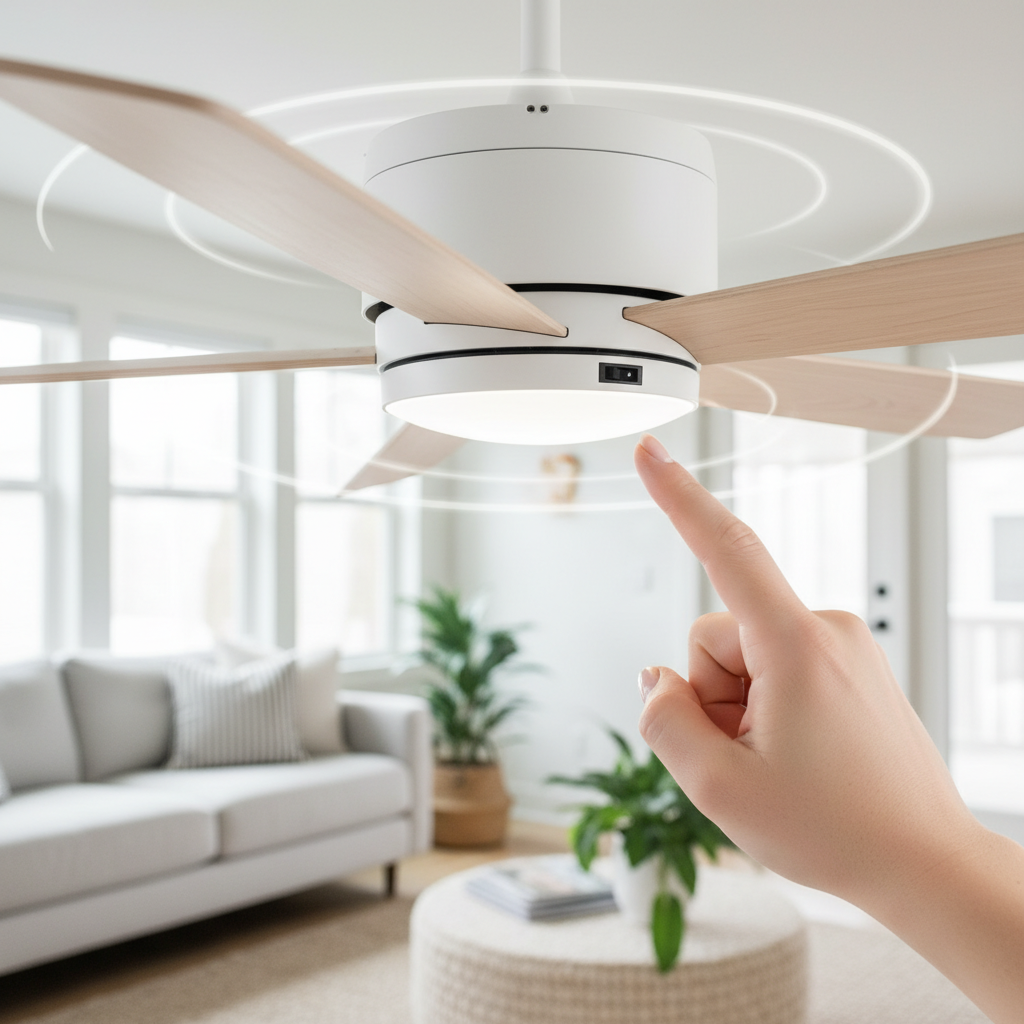
Many traditional ceiling fans, often equipped with AC (Alternating Current) motors, feature a manual slide switch on the motor housing. This small switch is typically located just above the fan blades, often near the light kit or the pull chains.
Step-by-step guide for using a physical switch:
- Turn Off the Power: Use the wall switch or pull chain to completely turn off the ceiling fan.
- Wait for Blades to Stop: Allow the fan blades to come to a full stop. Never attempt to change the direction while the blades are spinning, as this can damage the motor.
- Locate the Switch: Using a sturdy step stool or ladder, carefully access the fan’s motor housing. Look for a small slide switch with two positions, often marked with arrows or “summer/winter” or “forward/reverse” indicators.
- Flip the Switch: Gently slide the switch to the opposite position.
- Restore Power and Test: Turn the fan back on. Observe the blade rotation to confirm it’s spinning in the desired direction. In summer, the blades should rotate counter-clockwise, pushing air straight down. In winter, they should rotate clockwise, drawing air up.
Remote Control Reversal (Modern Fans)
Many newer ceiling fans, especially those with DC (Direct Current) motors or smart features, can be reversed using a handheld remote control. This offers a convenient way to adjust airflow without needing to reach the fan itself.
- Dedicated Reverse Button: Many remotes feature a clearly labeled “reverse” or “fan direction” button. Simply press this button while the fan is running (or sometimes after turning it off and on again, depending on the model) to change the direction. You might notice a light on the remote blink to confirm the command.
- Button Combinations: For remotes without a specific reverse button, some models require a sequence of button presses. Common combinations include pressing and holding a fan speed button (often “low” or “1”) simultaneously with the “off” button, or pressing and releasing the “off” button while holding a speed setting. If you’re unsure, consult your fan’s owner’s manual for specific instructions.
Smart Fan Apps and Voice Commands (DC Fans)
The latest generation of smart ceiling fans, predominantly utilizing energy-efficient DC motors, offers the ultimate convenience through dedicated smartphone apps or voice assistant integration.
- Smartphone Apps: Manufacturers often provide apps that allow you to control all fan functions, including speed, light, and direction. Within the app interface, you can typically find a “reverse” or “seasonal mode” setting to switch the blade rotation.
- Voice Commands: If your smart fan is integrated with voice assistants like Amazon Alexa or Google Assistant, you can simply issue a voice command such as “Hey Google, reverse the ceiling fan direction” to make the seasonal change effortlessly.
AC vs. DC Motors: How Motor Type Influences Reversal
The type of motor in your ceiling fan significantly impacts its features, efficiency, and how you change its direction. Understanding these differences can help you appreciate why modern fans offer more seamless control.
AC (Alternating Current) Motors: These are the traditional motors found in older and many entry-level ceiling fans.
- Control Method: Primarily manual slide switch on the motor housing.
- Reversal Process: Requires the fan to be completely stopped before flipping the physical switch.
- Energy Efficiency: Generally less energy-efficient than DC motors.
- Noise Level: Can be slightly noisier at higher speeds.
DC (Direct Current) Motors: These represent a more advanced and increasingly common technology in modern, high-efficiency ceiling fans.
- Control Method: Electronic controllers allow for reversal via remote, smart app, or voice commands. No manual switch on the fan body is usually needed.
- Reversal Process: Can often be reversed while the fan is still running (though it will momentarily slow down or stop before changing direction).
- Energy Efficiency: Up to 70% more energy-efficient than standard AC fans, leading to greater long-term savings.
- Noise Level: Renowned for their whisper-quiet operation.
- Features: Often come with more speed options and sophisticated controls.
Here’s a quick comparison:
| Feature | AC Reversible Motor | DC Reversible Motor |
|---|---|---|
| Control Method | Manual Slide Switch (on motor) | Remote, App, or Voice Control |
| Energy Efficiency | Standard | High (up to 70% more efficient) |
| Noise Level | Moderate to higher | Extremely quiet |
| Reversal Ease | Requires fan to stop | Often reversible while running |
| Cost | Generally lower upfront | Generally higher upfront |
Optimizing Your Fan for Maximum Efficiency and Comfort
Beyond simply knowing how to change direction, optimizing your fan’s use can maximize its benefits.
In summer, run your fan counter-clockwise at a higher speed to create a strong downdraft. Remember that fans cool people, not rooms, by creating a wind-chill effect. So, turn off the fan when you leave the room to save energy.
For winter, operate your fan clockwise at the lowest speed setting. The goal is to gently circulate warm air without creating a noticeable draft, which would make you feel cooler. The lower speed ensures that the warm air is gently pushed down and distributed, rather than creating a cooling breeze. This strategy is particularly effective in rooms with high ceilings where warm air tends to accumulate at the top.
Some common misconceptions include believing a fan heats the room in winter. A ceiling fan doesn’t generate heat; it merely redistributes existing warm air more efficiently, preventing heat from stratifying at the ceiling.
“A ceiling fan in winter is like a silent partner for your heating system, ensuring every corner of your room feels the warmth without overworking your furnace.” – Emma Roberts, HVAC Specialist
Conclusion
Reversing your ceiling fan direction seasonally is a simple, yet highly effective, strategy for enhancing home comfort and reducing energy consumption. Whether you operate a classic AC fan with a manual switch or a modern DC smart fan controlled by an app, mastering this quick adjustment allows you to optimize your living environment year-round. By understanding the airflow dynamics and choosing the correct rotation—counter-clockwise for cooling downdrafts in summer and clockwise for gentle warm updrafts in winter—you can create a more pleasant and energy-efficient home. Make it a routine to adjust your fan with the changing seasons, and feel the difference.
Isn’t it amazing how a small change in direction can lead to such significant benefits?
Câu Hỏi Thường Gặp
How often should I change my ceiling fan direction?
You should typically change your ceiling fan’s direction twice a year: once at the beginning of the cooling season (spring/early summer) to counter-clockwise for downdraft, and again at the beginning of the heating season (fall/early winter) to clockwise for updraft. This ensures optimal air circulation for seasonal comfort and energy efficiency.
What if my fan doesn’t have a reverse switch?
If your ceiling fan lacks a visible manual switch on the motor housing, a dedicated button on its remote, or a smart app function, it likely doesn’t have a reverse feature. While some older models might require complex rewiring or blade pitch adjustment, most non-reversible fans cannot be easily modified. In such cases, consider upgrading to a modern, reversible model for year-round benefits.
Does reversing a fan actually save money?
Yes, reversing your ceiling fan can contribute to energy savings. In summer, the wind-chill effect allows you to set your thermostat a few degrees higher, reducing AC usage. In winter, by circulating warm air trapped near the ceiling, you can potentially lower your thermostat setting, easing the burden on your heating system. These adjustments can lead to noticeable reductions in your energy bills.
Should I use a ceiling fan with my AC/Heater?
Absolutely! Ceiling fans are designed to complement your HVAC system. In summer, use the fan with your AC to feel cooler and potentially raise your thermostat. In winter, use the fan with your heater (on low, clockwise) to redistribute warm air more effectively, making your heating system work less. This combined approach improves comfort and enhances overall energy efficiency.