There’s nothing quite like the gentle breeze of a ceiling fan to keep your home comfortable, but that tranquility can quickly vanish when a persistent hum fills the air. A buzzing or humming ceiling fan isn’t just an annoyance; it’s often a sign that something isn’t quite right. Fortunately, many of these issues are common and can be resolved with simple DIY fixes, helping you reclaim the quiet comfort of your living space.
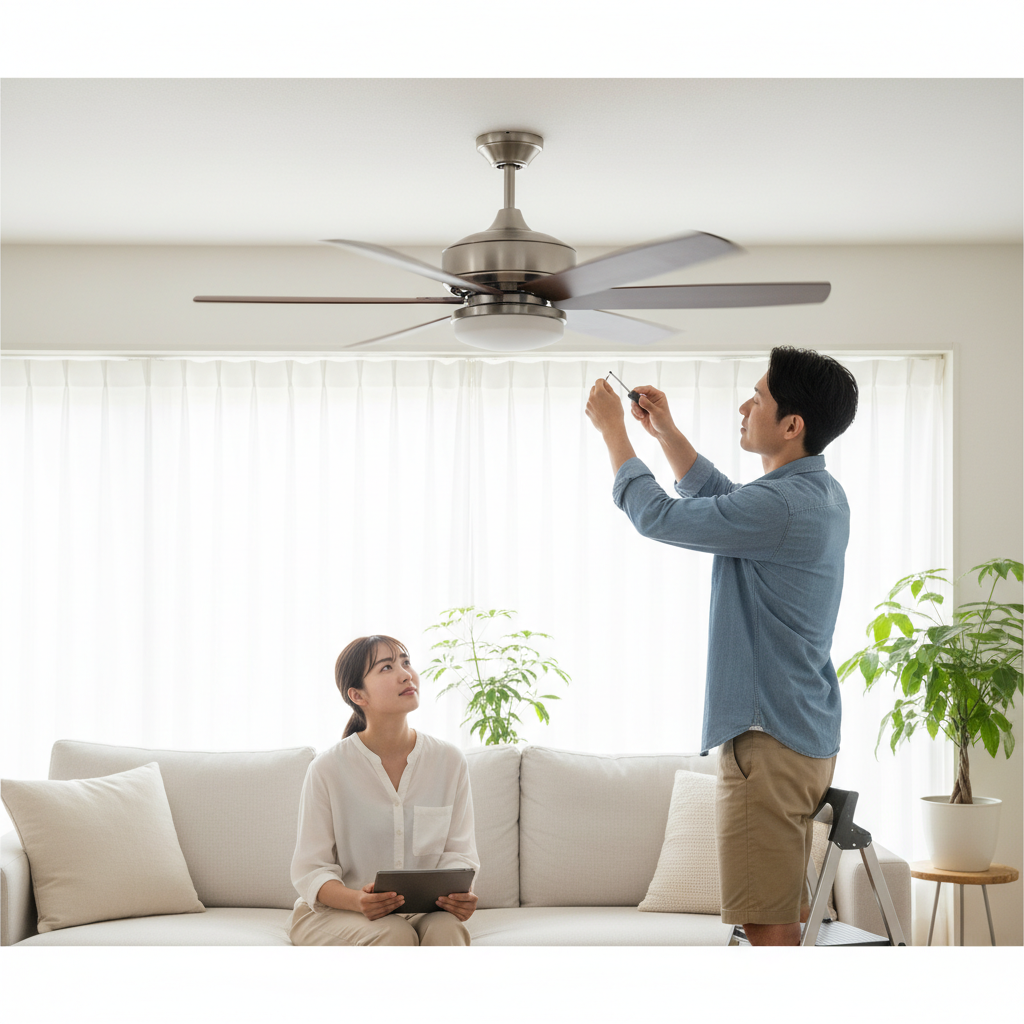
Understanding the root cause of the hum is the first step toward silencing it. From loose components to electrical glitches, we’ll explore the most common culprits behind a noisy ceiling fan and guide you through straightforward solutions. Always remember that safety comes first: before attempting any repairs, ensure the power to your fan is completely turned off at the circuit breaker.
Understanding the Hum: Common Causes of a Noisy Ceiling Fan
A ceiling fan’s hum usually stems from either an electrical problem or a mechanical issue. These underlying factors cause vibrations or electrical interference that manifest as that irritating buzzing sound. Pinpointing the exact cause will help you apply the correct solution efficiently and safely.
Electrical Causes
Electrical issues are frequently behind a fan’s humming noise, often indicating a disruption in the power flow or how the fan motor processes electricity.
- Incompatible Dimmer Switches: Many standard dimmer switches are designed for lighting, not for the inductive load of a ceiling fan motor. Using a non-fan-rated dimmer can cause voltage fluctuations, leading to a noticeable hum. This interference can force the motor to work harder, generating heat and noise.
- Loose Wiring Connections: Over time, vibrations can loosen the electrical connections within the fan, at the wall switch, or inside the ceiling junction box. These loose connections can create a small electrical arc or an inconsistent power supply, resulting in an audible buzz or hum. It’s a common issue that often presents itself as a mild, continuous noise.
- Faulty Capacitors: The capacitor in a ceiling fan is crucial for starting the motor and maintaining its speed. If this component degrades or fails, the motor may struggle to start or run efficiently, leading to a pronounced humming sound. A failing capacitor might also cause the fan to run slower than usual or not at all.
- Voltage Irregularities: An inconsistent or incorrect voltage supply to your fan can also cause it to hum. If the fan receives too much or too little voltage, its motor may strain, leading to a buzzing sound as it tries to operate outside its optimal electrical parameters.
|
Our Picks for the Best Ceiling fan in 2026
As an Amazon Associate I earn from qualifying purchases.
|
||
| Num | Product | Action |
|---|---|---|
| 1 | Ceiling Fans with Lights, 42 Inch Ceiling Fan with Light And Remote, 3CCT Flush Moun Low Profile Ceiling Fans, 6 Speed Noiseless LED Ceiling Fan, Black Ceilings Fan with Remote for Bedroom Living Room |

|
| 2 | Ceiling Fans with Lights, 52 Inch Modern Ceiling Fans with Lights and Remote Control, DC Reversible Motor, Noiseless, 3CCT, Ceiling Fan for Bedroom, Living Room, Apartment Indoor/Outdoor Use |
|
| 3 | Fanbulous 52 Inch Ceiling Fans with Lights and Remote, Stepless Color Temperature Change & Dimmable 20W LED Ceiling Fan, 6 Speeds Reversible Quiet DC Motor for Bedroom, Living Room, Apartment, Black |
|
| 4 | ZMISHIBO Ceiling Fans with Lights and Remote, 19.7'' Low Profile Ceiling Fan, 3000-6000K Dimmable Modern Flush Mount LED Fan Light, 6 Wind Speeds, Black Fandelier Ceiling Fans for Bedroom |
|
| 5 | Passky Ceiling Fans with Lights, 52 inch Sleek Ceiling Fan with Light and Remote Control, 3CCT, Dimmable, Reversible, Noiseless, Black Ceiling Fan for Bedroom, Living Room |
|
| 6 | Ceiling Fans with Lights - 42 Inch Low Profile Ceiling Fan with Light and Remote, Reversible DC Motors, 3CCT Dimmable Timer Noiseless, Black Flush Mount Ceiling Fan for Bedroom/Living Room |
|
| 7 | addlon Ceiling Fans with Lights, 42 Inch Low Profile Ceiling Fan with Light and Remote Control, Flush Mount, Reversible, 3CCT, Dimmable, Quiet, Black Small Ceiling Fan for Bedroom Indoor/Outdoor Use |
|
| 8 | Asyko 46" Low Profile Ceiling Fan with Light and Remote Control,Black Modern Flush Mount Ceiling Fan with Lights for Bedroom, Reversible, Dimmable, Noiseless |
|
| 9 | Amico Ceiling Fans with Lights, 42 inch Low Profile Ceiling fan with Light and Remote Control, Flush Mount, Reversible, 3CCT, Dimmable, Noiseless, Black Ceiling Fan for Bedroom, Indoor/Outdoor Use |
|
| 10 | ZMISHIBO 52 Inch Ceiling Fan with Light, App&Remote Control, Flush Mount Low Profile, Dimmable 20W LED Light, Quiet Reversible Motor for Bedroom, Living Room, Apartment, Black |
|
Mechanical Causes
Beyond electrical glitches, several mechanical factors can contribute to your ceiling fan’s unwelcome serenade. These typically involve physical components that are loose, dirty, or worn.
- Loose Screws and Mountings: The most common mechanical culprit is often the simplest to fix: loose screws. Screws on the fan blades, blade holders, light fixture, or even the mounting bracket that attaches the fan to the ceiling can all loosen over time. These small movements create vibrations that resonate as a hum or rattle.
- Dust Accumulation and Imbalance: A thick layer of dust on your fan blades, especially if uneven, can throw the fan out of balance. This imbalance forces the motor to work harder and can create a wobble that translates into a humming or vibrating noise. Dust can also accumulate within the motor housing, impacting its smooth operation.
- Dry or Worn Motor Bearings: The bearings allow the fan’s motor to spin smoothly. If these bearings become dry due to a lack of lubrication or simply wear out over years of use, they can create friction, leading to a grinding or humming sound. This often indicates a need for lubrication or, in severe cases, replacement.
- Canopy Contact: The fan canopy, the decorative cover that conceals the wiring and mounting bracket against the ceiling, can sometimes rub against the ceiling or the fan’s downrod. Even a slight contact can produce an irritating rubbing or humming noise as the fan operates.
- Worn Motor Components: Like any mechanical device, a ceiling fan motor can simply wear out over time. Internal components, such as windings or the stator, can degrade, leading to inefficiencies and an audible hum as the motor struggles to perform its function.
Your DIY Troubleshooting Guide: Easy Fixes to Silence the Hum
Before you reach for the phone to call an electrician, try these straightforward troubleshooting steps. Many humming issues can be resolved with a few common household tools and a bit of patience.
Step 1: Prioritize Safety – Power Down
This step is non-negotiable. Before touching any part of your ceiling fan, go to your home’s electrical panel and turn off the circuit breaker that controls the fan. This prevents electric shock and ensures your safety during inspection and repair. It’s also wise to pull the light chain to confirm the power is truly off before proceeding.
Step 2: Tighten Everything Up
Loose components are a leading cause of fan noise. Take the time to methodically tighten all accessible screws.
- Blades and Blade Holders: Use a screwdriver to check and tighten all screws connecting the fan blades to their holders, and the blade holders to the motor housing. Do this for every blade. Be firm but avoid overtightening, which can strip screws or damage components.
- Light Fixtures: If your fan has an integrated light kit, ensure all screws holding the light fixture to the fan body are secure. Loose globes or decorative covers can also rattle, so check those fasteners too.
- Mounting and Canopy: Climb a sturdy ladder and gently wiggle the decorative canopy that covers the ceiling mount. If it moves, tighten any visible screws. For fans with a threaded canopy, twist it firmly clockwise until snug against the ceiling. Also, check the screws holding the downrod (the pole connecting the fan to the ceiling mount) to the mounting bracket.
Step 3: Clean for Clarity
Dust is more than just unsightly; it can significantly impact your fan’s performance and quiet operation.
- Dust the Blades and Motor Housing: Using a damp cloth or a vacuum with a brush attachment, thoroughly clean both sides of each fan blade. Pay attention to the top of the blades, where dust tends to accumulate most heavily. Also, wipe down the exterior of the motor housing and canopy. Removing dust can instantly reduce wobbling and the strain on the motor.
- Inspect Inside the Motor (if accessible): For some fans, you might be able to carefully open the motor housing (after ensuring power is off) to clean any internal dust buildup. However, if you’re uncomfortable with this, focus on external cleaning.
Step 4: Address Electrical Components
While some electrical fixes require a professional, a few simple checks can often resolve common humming issues.
- Check Your Dimmer Switch: If your ceiling fan is controlled by a dimmer switch, verify that it is specifically rated for use with ceiling fans. Standard light dimmers can cause humming. Replace an incompatible dimmer with a fan-rated speed control or a standard on/off switch to see if the hum disappears.
- Inspect Wiring Connections: If you’re comfortable and the power is off, you can carefully inspect the wire nuts inside the fan’s canopy and at the wall switch. Ensure all wires are securely connected and no bare wires are touching. If you see any charred wires or brittle insulation, it’s time to call a qualified electrician.
- Replace Faulty Light Bulbs: Surprisingly, a loose or faulty light bulb in your fan’s light kit can sometimes cause a buzzing sound. Try tightening or replacing the bulbs to see if the noise stops.
Step 5: Balance and Lubricate
These steps address internal mechanics that, when neglected, often lead to a humming fan.
- Balance Fan Blades: An unbalanced fan will wobble and hum. Many hardware stores sell inexpensive fan balancing kits that include weights and clips. Follow the kit’s instructions to identify the unbalanced blade and apply the weights until the wobble and hum cease.
- Lubricate Motor Bearings: Some older or higher-end ceiling fans have an oil port near the top of the motor housing. Consult your fan’s owner’s manual to determine if your model requires lubrication and what type of oil to use (typically a non-detergent 10W or 20W oil). A few drops of the correct oil can revitalize dry bearings and significantly reduce humming. Do not use WD-40, as it is a degreaser, not a lubricant.
When to Call a Professional: Knowing Your Limits
While many ceiling fan humming issues are easily fixable, there are situations where calling a qualified electrician or HVAC technician is the safest and most effective course of action.
- Serious Electrical Issues: If you observe any crackling, sizzling, or a burning smell, turn off the power immediately and contact a professional. These signs indicate potentially dangerous electrical faults that could lead to a fire.
- Persistent Hum After DIY Fixes: If you’ve tried all the troubleshooting steps above and the humming persists, the problem might be more deeply rooted, such as a failing motor winding, a defective capacitor that needs replacement, or internal wiring issues that require specialized tools and expertise to diagnose.
- Uncomfortable with Electrical Work: Any task involving household electricity carries inherent risks. If you are not confident in your ability to safely inspect or repair electrical components, it is always best to defer to a licensed professional.
- Old or Significantly Damaged Motor Components: For older fans, the motor itself may simply be at the end of its lifespan. Replacing an entire motor or its internal components can be complex and costly; a professional can advise whether repair or replacement of the whole unit is more economical.
Conclusion
A humming ceiling fan can disrupt the comfort of your home, but with a systematic approach, you can often diagnose and resolve the issue yourself. From tightening a few loose screws and clearing away dust to checking electrical connections or balancing blades, simple fixes can restore peace and quiet. Regular maintenance, including periodic cleaning and checking for loose parts, can also prevent future humming. Don’t let a noisy fan steal your tranquility; empower yourself with these easy fixes and enjoy the gentle, silent breeze your ceiling fan was designed to provide.
What steps will you take first to quiet your humming ceiling fan?
Frequently Asked Questions
Why does my ceiling fan hum only on certain speeds?
If your fan hums exclusively at specific speeds, it often points to an issue with the speed control mechanism, such as an incompatible dimmer switch that struggles to regulate power smoothly at certain settings. It could also indicate that motor components are straining more at particular RPMs, causing increased vibration and noise.
Can a dirty ceiling fan cause humming?
Absolutely. Over time, dust and grime can accumulate on fan blades, leading to an uneven distribution of weight. This imbalance causes the fan to wobble, forcing the motor to work harder and creating noticeable vibrations that translate into a humming sound. Regular cleaning is a simple preventative measure.
Is it dangerous if my ceiling fan is humming?
While a humming fan is often just an annoyance, it can sometimes signal underlying electrical problems like loose wiring or a failing capacitor, which could pose a safety risk if left unaddressed. If the hum is accompanied by a burning smell, crackling, or sparks, turn off the power immediately and call an electrician.
What kind of oil do I use for my ceiling fan motor?
For ceiling fans with an oil port, you should use specialized non-detergent oil, typically a 10-weight or 20-weight type. Never use multi-purpose lubricants like WD-40, as they are degreasers and can damage your fan’s motor. Always check your fan’s owner’s manual for the manufacturer’s specific lubrication recommendations.